Choose your camera and microphone
Before each take, Veritake shows which camera and microphone it will use. You can change both in the setup.
-
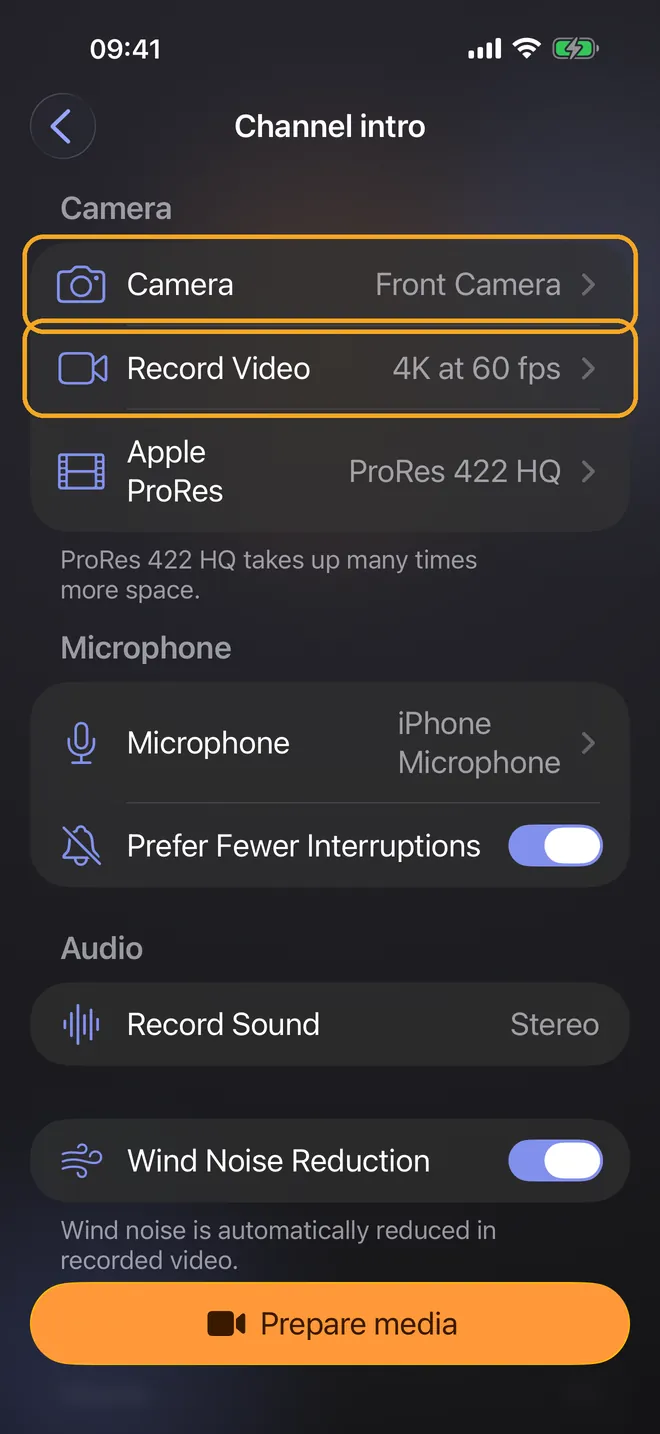
Tap the camera button next to your script. If you see a summary of your settings, tap Adjust setup. Under Camera, choose the front or back camera, and under Record Video, choose the resolution and frame rate.
-
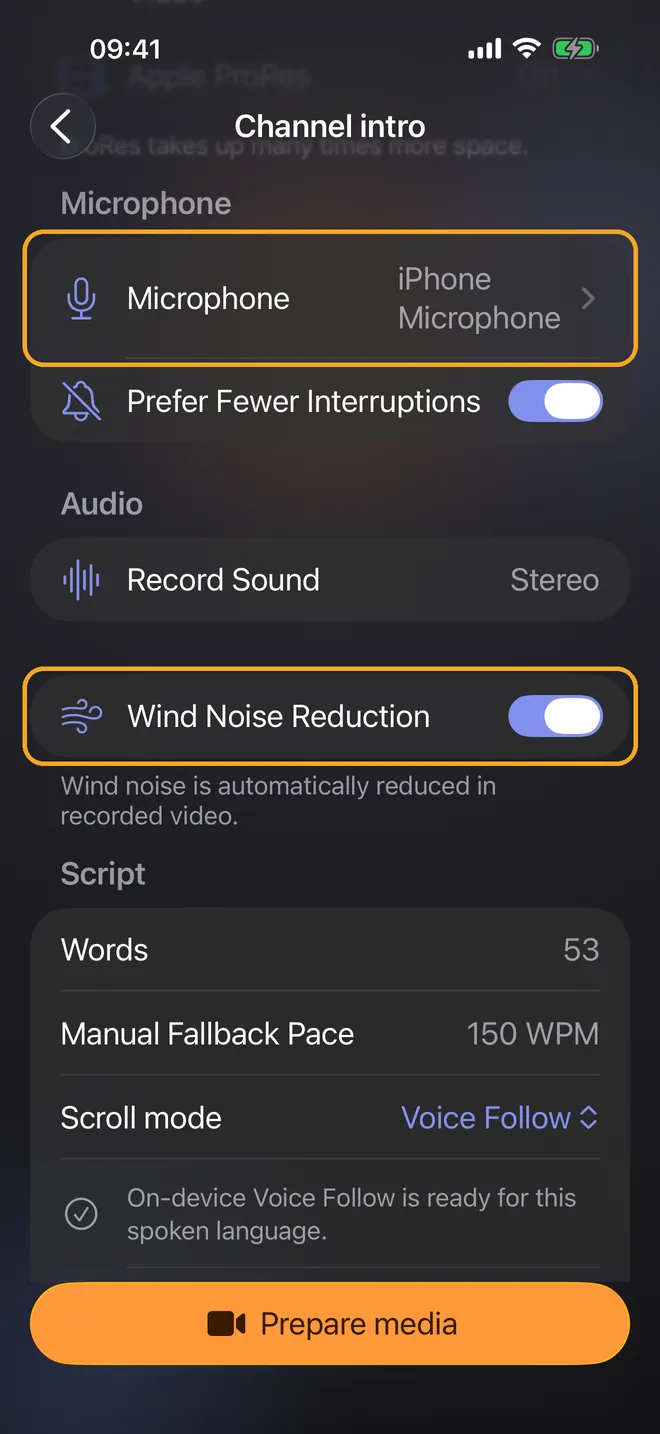
Under Microphone, choose which microphone records. When you record outdoors with the built-in microphone, you can turn on Wind Noise Reduction, depending on your iPhone model.
-
After you tap Prepare media, Veritake checks the selected camera and microphone and shows the audio level before you start.
Guides · Import or paste your script · Record with Voice Follow · Trim and export your video